SparkFun Touch Shield (MPR121QR2)
The MPR121QR2 IC is a great way to build simple capacitive touch interfaces, and now it’s even easier to incorporate into your Arduino projects with the touch shield.
The touch shield has
- 9 capacitive touch pads
- headers for the remaining 3 electrode connections so that with this shield you can have a total of 12 touch sensitive buttons.
- An on-board logic level converter allows it to work with 5V and 3.3V Arduino boards.
Simply solder on some header pins and stack it on to your Arduino for a convenient input device. Check below for some example code to get you started.
Documents:
- Schematic
- Eagle Files
- Datasheet (MPR121QR2)
- Hookup Guide
- GitHub (Design Files & Example Code)
Original: $11.25
-70%$11.25
$3.38More Images

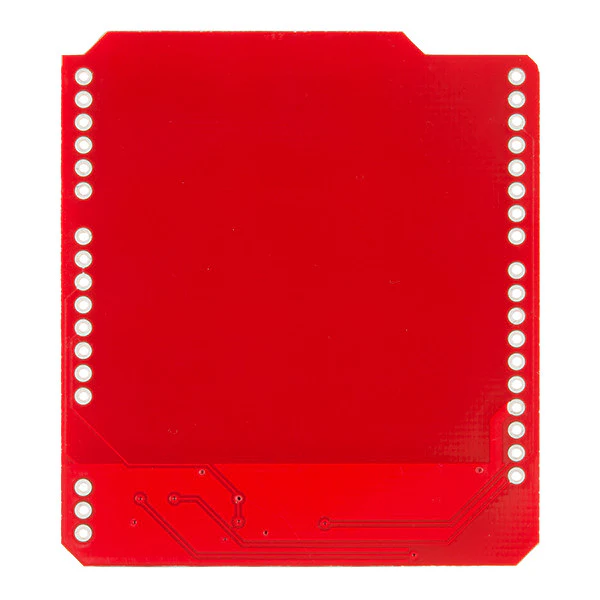


SparkFun Touch Shield (MPR121QR2)
The MPR121QR2 IC is a great way to build simple capacitive touch interfaces, and now it’s even easier to incorporate into your Arduino projects with the touch shield.
The touch shield has
- 9 capacitive touch pads
- headers for the remaining 3 electrode connections so that with this shield you can have a total of 12 touch sensitive buttons.
- An on-board logic level converter allows it to work with 5V and 3.3V Arduino boards.
Simply solder on some header pins and stack it on to your Arduino for a convenient input device. Check below for some example code to get you started.
Documents:
- Schematic
- Eagle Files
- Datasheet (MPR121QR2)
- Hookup Guide
- GitHub (Design Files & Example Code)
Product Information
Product Information
Shipping & Returns
Shipping & Returns
Description
The MPR121QR2 IC is a great way to build simple capacitive touch interfaces, and now it’s even easier to incorporate into your Arduino projects with the touch shield.
The touch shield has
- 9 capacitive touch pads
- headers for the remaining 3 electrode connections so that with this shield you can have a total of 12 touch sensitive buttons.
- An on-board logic level converter allows it to work with 5V and 3.3V Arduino boards.
Simply solder on some header pins and stack it on to your Arduino for a convenient input device. Check below for some example code to get you started.
Documents:
- Schematic
- Eagle Files
- Datasheet (MPR121QR2)
- Hookup Guide
- GitHub (Design Files & Example Code)