Adafruit TSC2007 I2C Resistive Touch Screen Controller
Getting touchy performance with your screen's touch screen?
Resistive touch screens are incredibly popular as overlays to TFT and LCD displays. Only problem is they require a bunch of analog pins and you have to keep polling them since the overlays themselves are basically just big potentiometers. If your microcontroller doesn't have analog inputs, or maybe you want just a way more elegant controller, the TSC2007 is a nice way to solve that problem.
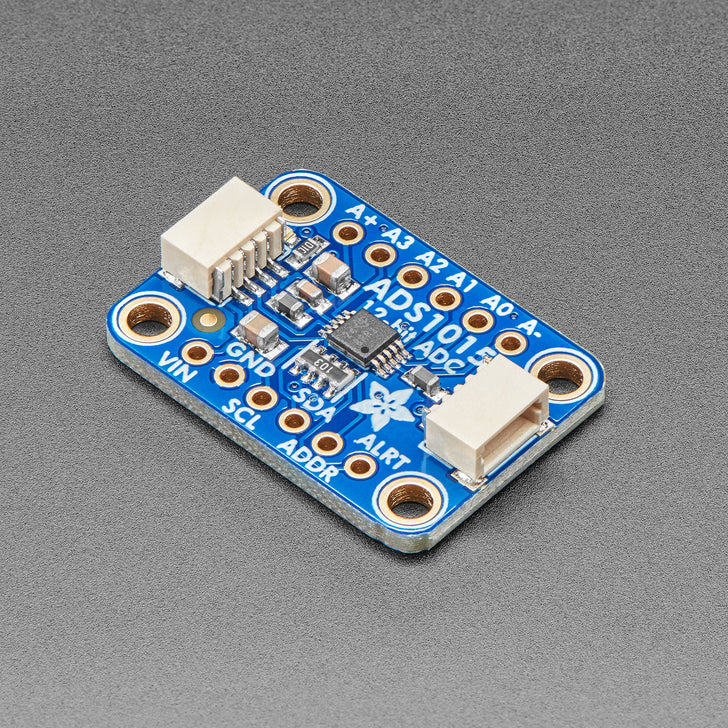
This breakout board features the TSC2007, which has an easy-to-use I2C interface available. There is also an interrupt pin that you can use to indicate when a touch has been detected to your microcontroller or microcomputer. Adafruit wrapped up the chip with a 3V voltage regulator and level shifting so it's safe to use with 3V or 5V logic. Its a nicely designed chip, and has very stable precise readings. They found its also a lot faster than trying to do all the readings on an Arduino.
For the screens that have 1mm pitch FPC cables, you can plug the cable right into the connector. The majority of medium/large touchscreens have that kind of connector. If you have another kind of touch screen, the four X/Y contacts are available on 0.1" pitch breakouts so you can hand-solder or wire them.
Getting started is super easy with this simple TSC2007 Arduino library or TSC2007 CircuitPython/Python library for microcontrollers or Raspberry Pi. Plug any 1mm-pitch 4-wire resistive touchscreen to the on-board FPC connector, then use the library example to read touch points with X, Y and Z (pressure) results returned instantaneously. There's an IRQ pin that will drop low when a touch is detected, you can use that to reduce the I2C polling - you also have a red LED on that line which can help debugging as it should light when the panel is touched.
Technical Details
- Uses default I2C address 0x48, two address pins allow up to 4 devices on one I2C bus
Product Dimensions: 25.5mm x 19.0mm x 4.6mm / 1.0" x 0.7" x 0.2"
Product Weight: 2.1g / 0.1oz
Learn
- Primary Guide: Adafruit TSC2007 I2C Resistive Touch Screen Controller - Resistive touch input over I2C!
- Wireless ESP32-S2 Touch Screen Controller for Pure Data - Control your Pure Data patches over WiFi
Original: $3.80
-70%$3.80
$1.14More Images


Adafruit TSC2007 I2C Resistive Touch Screen Controller
Getting touchy performance with your screen's touch screen?
Resistive touch screens are incredibly popular as overlays to TFT and LCD displays. Only problem is they require a bunch of analog pins and you have to keep polling them since the overlays themselves are basically just big potentiometers. If your microcontroller doesn't have analog inputs, or maybe you want just a way more elegant controller, the TSC2007 is a nice way to solve that problem.
This breakout board features the TSC2007, which has an easy-to-use I2C interface available. There is also an interrupt pin that you can use to indicate when a touch has been detected to your microcontroller or microcomputer. Adafruit wrapped up the chip with a 3V voltage regulator and level shifting so it's safe to use with 3V or 5V logic. Its a nicely designed chip, and has very stable precise readings. They found its also a lot faster than trying to do all the readings on an Arduino.
For the screens that have 1mm pitch FPC cables, you can plug the cable right into the connector. The majority of medium/large touchscreens have that kind of connector. If you have another kind of touch screen, the four X/Y contacts are available on 0.1" pitch breakouts so you can hand-solder or wire them.
Getting started is super easy with this simple TSC2007 Arduino library or TSC2007 CircuitPython/Python library for microcontrollers or Raspberry Pi. Plug any 1mm-pitch 4-wire resistive touchscreen to the on-board FPC connector, then use the library example to read touch points with X, Y and Z (pressure) results returned instantaneously. There's an IRQ pin that will drop low when a touch is detected, you can use that to reduce the I2C polling - you also have a red LED on that line which can help debugging as it should light when the panel is touched.
Technical Details
- Uses default I2C address 0x48, two address pins allow up to 4 devices on one I2C bus
Product Dimensions: 25.5mm x 19.0mm x 4.6mm / 1.0" x 0.7" x 0.2"
Product Weight: 2.1g / 0.1oz
Learn
- Primary Guide: Adafruit TSC2007 I2C Resistive Touch Screen Controller - Resistive touch input over I2C!
- Wireless ESP32-S2 Touch Screen Controller for Pure Data - Control your Pure Data patches over WiFi
Product Information
Product Information
Shipping & Returns
Shipping & Returns
Description
Getting touchy performance with your screen's touch screen?
Resistive touch screens are incredibly popular as overlays to TFT and LCD displays. Only problem is they require a bunch of analog pins and you have to keep polling them since the overlays themselves are basically just big potentiometers. If your microcontroller doesn't have analog inputs, or maybe you want just a way more elegant controller, the TSC2007 is a nice way to solve that problem.
This breakout board features the TSC2007, which has an easy-to-use I2C interface available. There is also an interrupt pin that you can use to indicate when a touch has been detected to your microcontroller or microcomputer. Adafruit wrapped up the chip with a 3V voltage regulator and level shifting so it's safe to use with 3V or 5V logic. Its a nicely designed chip, and has very stable precise readings. They found its also a lot faster than trying to do all the readings on an Arduino.
For the screens that have 1mm pitch FPC cables, you can plug the cable right into the connector. The majority of medium/large touchscreens have that kind of connector. If you have another kind of touch screen, the four X/Y contacts are available on 0.1" pitch breakouts so you can hand-solder or wire them.
Getting started is super easy with this simple TSC2007 Arduino library or TSC2007 CircuitPython/Python library for microcontrollers or Raspberry Pi. Plug any 1mm-pitch 4-wire resistive touchscreen to the on-board FPC connector, then use the library example to read touch points with X, Y and Z (pressure) results returned instantaneously. There's an IRQ pin that will drop low when a touch is detected, you can use that to reduce the I2C polling - you also have a red LED on that line which can help debugging as it should light when the panel is touched.
Technical Details
- Uses default I2C address 0x48, two address pins allow up to 4 devices on one I2C bus
Product Dimensions: 25.5mm x 19.0mm x 4.6mm / 1.0" x 0.7" x 0.2"
Product Weight: 2.1g / 0.1oz
Learn
- Primary Guide: Adafruit TSC2007 I2C Resistive Touch Screen Controller - Resistive touch input over I2C!
- Wireless ESP32-S2 Touch Screen Controller for Pure Data - Control your Pure Data patches over WiFi